
Top Mobile Solutions for Content Creators at Studio Cell

In the fast-paced world of content creation, mobile solutions have become essential tools for creators looking to produce high-quality work on the go. Whether you're a videographer, photographer, or social media influencer, having the right mobile tools can significantly enhance your productivity and creativity. At Studio Cell, we understand the unique needs of content creators and have curated a list of top mobile solutions that can help you elevate your craft.
The Rise of Mobile Content Creation
The shift towards mobile content creation has been driven by several factors:
Accessibility: Smartphones and tablets are more accessible than ever, allowing creators to capture and edit content anytime, anywhere.
Quality: Modern mobile devices come equipped with advanced cameras and editing software, enabling high-quality production without the need for bulky equipment.
Social Media: The demand for fresh content on platforms like Instagram, TikTok, and YouTube has pushed creators to find efficient ways to produce and share their work.
As a result, mobile solutions have become indispensable for content creators. Let’s explore some of the best options available today.
Essential Mobile Apps for Content Creation
1. Adobe Lightroom Mobile
Overview: Adobe Lightroom Mobile is a powerful photo editing app that allows creators to enhance their images with professional-grade tools.
Key Features:
Advanced editing tools including exposure, color correction, and filters.
Ability to sync edits across devices.
User-friendly interface suitable for both beginners and professionals.
Why It’s Great: Lightroom Mobile provides creators with the ability to edit photos on the go without sacrificing quality. The app's cloud integration ensures that your edits are always accessible, making it easy to work across multiple devices.
2. LumaFusion
Overview: LumaFusion is a professional video editing app designed for iOS devices, perfect for creators who need robust editing capabilities on their mobile devices.
Key Features:
Multi-track editing with up to six video and audio tracks.
A wide range of effects, transitions, and color correction tools.
Support for various video formats and resolutions.
Why It’s Great: LumaFusion is ideal for filmmakers and video creators who want to edit high-quality videos directly from their iPads or iPhones. Its intuitive interface and powerful features make it a favorite among mobile video editors.
3. Canva
Overview: Canva is a graphic design app that simplifies the process of creating stunning visuals for social media, presentations, and more.
Key Features:
Thousands of templates for various design needs.
Easy drag-and-drop functionality.
Collaboration features for team projects.
Why It’s Great: Canva allows content creators to produce eye-catching graphics quickly and efficiently. Whether you need a social media post or a presentation slide, Canva’s extensive library of templates and design elements makes it easy to create professional-looking content.
Mobile Accessories to Enhance Your Workflow
1. Gimbal Stabilizer
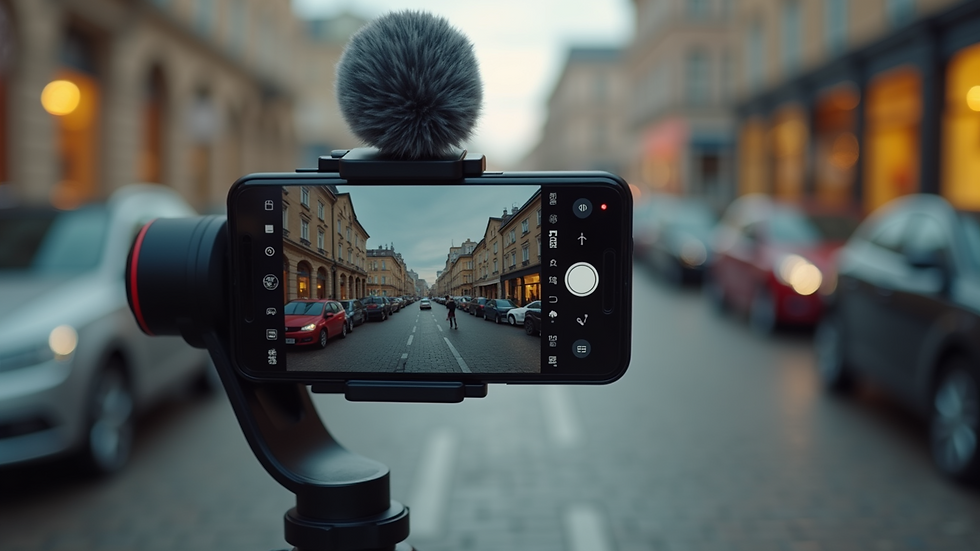
Overview: A gimbal stabilizer is a device that helps stabilize your smartphone while filming, ensuring smooth and professional-looking video footage.
Benefits:
Eliminates shaky footage, enhancing video quality.
Allows for creative camera movements and angles.
Compact and portable, making it easy to carry.
Recommended Product: The DJI Osmo Mobile 3 is a popular choice among content creators for its lightweight design and impressive stabilization capabilities.
2. External Microphone
Overview: High-quality audio is crucial for video content, and an external microphone can significantly improve sound quality.
Benefits:
Reduces background noise and captures clearer audio.
Various types available, including lavalier, shotgun, and handheld mics.
Recommended Product: The Rode VideoMic Me is a compact and effective microphone that connects directly to your smartphone, making it perfect for on-the-go recording.
3. Portable Lighting
Overview: Good lighting can make a significant difference in the quality of your photos and videos. Portable lighting solutions are essential for creators working in various environments.
Benefits:
Provides consistent lighting for indoor and outdoor shoots.
Compact and easy to set up.
Recommended Product: The Neewer 660 LED Video Light is a versatile option that offers adjustable brightness and color temperature, making it suitable for different shooting conditions.
Best Practices for Mobile Content Creation
1. Plan Your Content
Before you start shooting, take the time to plan your content. Outline your ideas, create a shot list, and consider the story you want to tell. This preparation will save you time during the editing process and ensure that you capture all necessary footage.
2. Utilize Natural Light
Whenever possible, take advantage of natural light. Shooting during the golden hour (the hour after sunrise and before sunset) can provide beautiful, soft lighting for your photos and videos. If you’re shooting indoors, position your subject near windows to maximize natural light.
3. Experiment with Angles
Don’t be afraid to experiment with different angles and perspectives. Changing your viewpoint can add interest to your content and help you discover unique shots that stand out.
4. Edit Thoughtfully
Editing is where your content truly comes to life. Take the time to refine your work, paying attention to pacing, color grading, and audio quality. Use apps like Adobe Lightroom and LumaFusion to enhance your final product.
5. Engage with Your Audience
Once your content is ready, share it with your audience and engage with them. Respond to comments, ask for feedback, and create a community around your work. This interaction can help you grow as a creator and improve your future content.
Conclusion
Mobile solutions have transformed the landscape of content creation, making it easier than ever for creators to produce high-quality work on the go. From powerful editing apps like Adobe Lightroom and LumaFusion to essential accessories like gimbal stabilizers and external microphones, the right tools can significantly enhance your creative process.
As you explore these mobile solutions, remember to plan your content, utilize natural light, and engage with your audience. By embracing these practices, you can elevate your content creation game and connect with your audience in meaningful ways.
Now that you have the tools and tips to enhance your mobile content creation, it’s time to get out there and start creating!

Comments